Hugh Hou Spatial Injector · Free Mac Utility · v1.4
An immersive video is only immersive if the player knows what it's looking at. This free Mac app writes that knowledge into your file: YouTube's spatial tags with head-tracked ambisonic audio, or Apple's Vision Pro projection tags. It never re-encodes a single pixel.
One app, two destinations
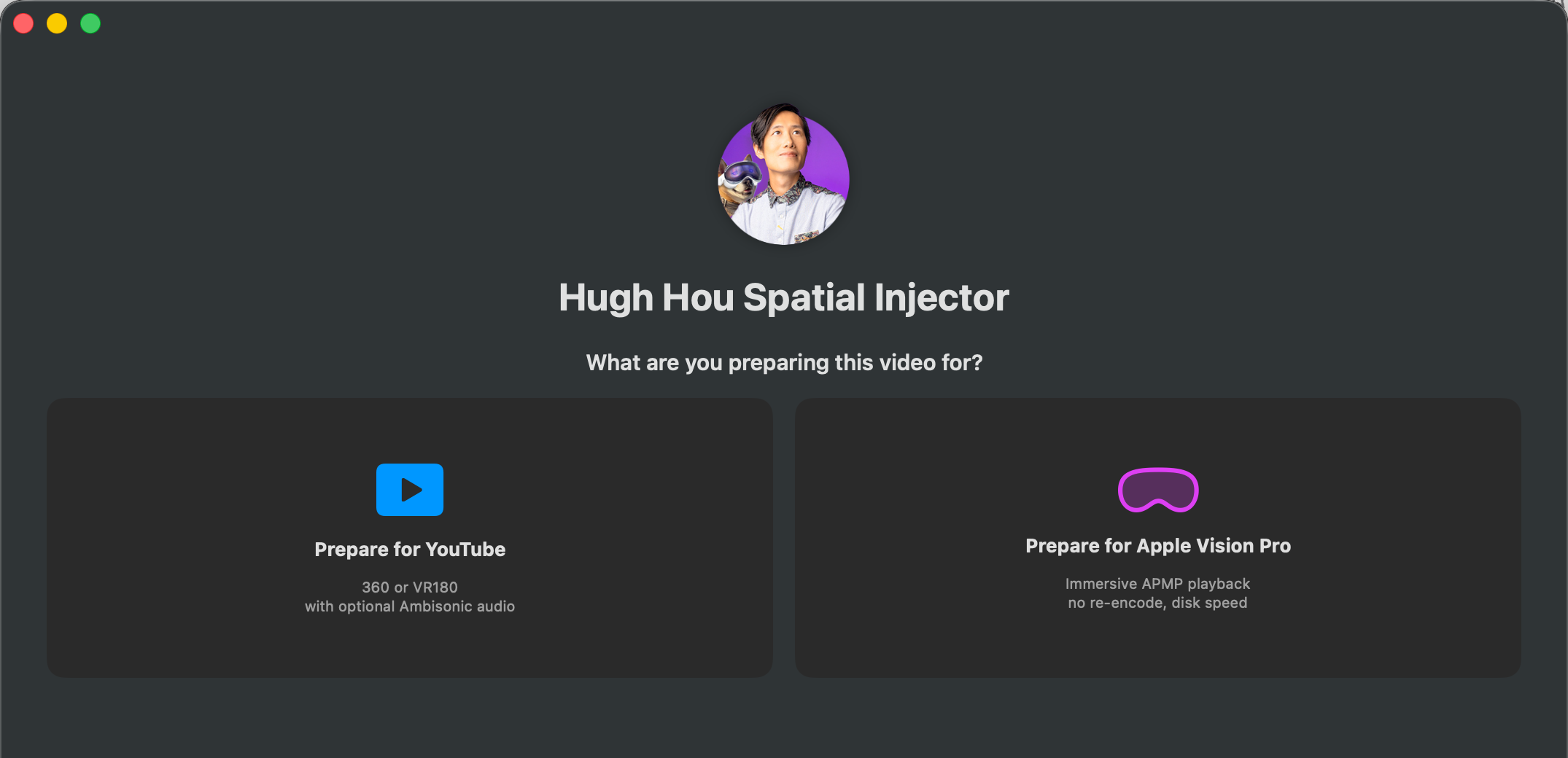
YouTube and Apple Vision Pro speak two different metadata languages. The app asks where your video is going first, then shows you only what that path needs.
Writes the spatial metadata YouTube needs for 360 and VR180 uploads. New in v1.4: 1st order Ambisonic Spatial Audio for YouTube.
Rewraps your file with Apple's official projection tags so it plays natively immersive on visionOS 26 (mono or 3D, 180 or 360) in any player app.
Prepare for YouTube
Google abandoned its Spatial Media Metadata Injector years ago, and it shows: broken ambisonic audio, silent failures, Python errors. It also never supported VR180 in a ProRes or MOV container, or uncompressed PCM audio. That pipeline is exactly how you get the highest quality upload onto YouTube, and the old tool is the barrier. This is that tool rebuilt as a native Mac app: it takes your MOV, your ProRes master, your PCM audio, and the ambisonic path actually works.
Pick your destination on the opening screen. Everything that follows is YouTube-specific, no Apple options to second-guess.
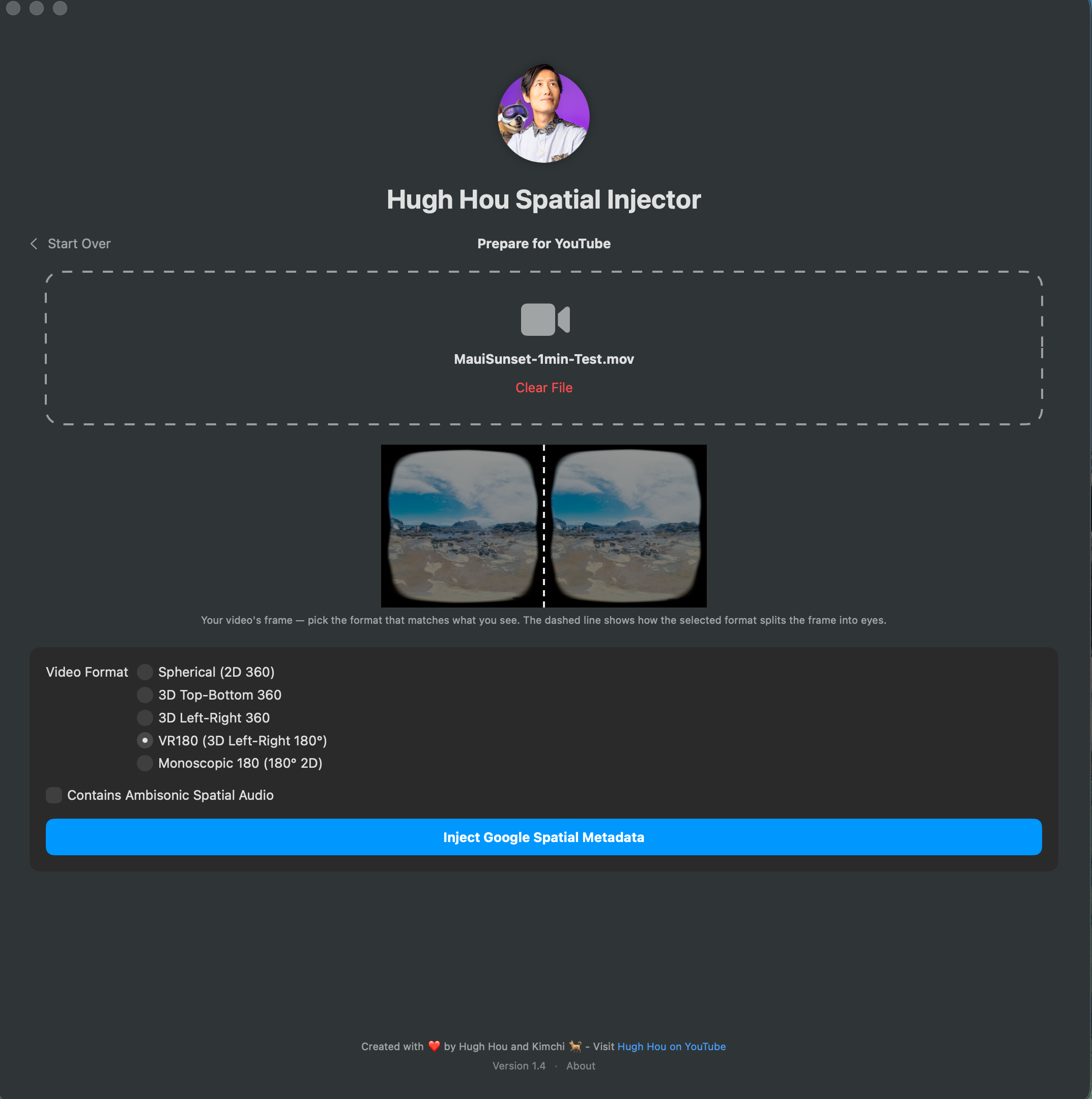
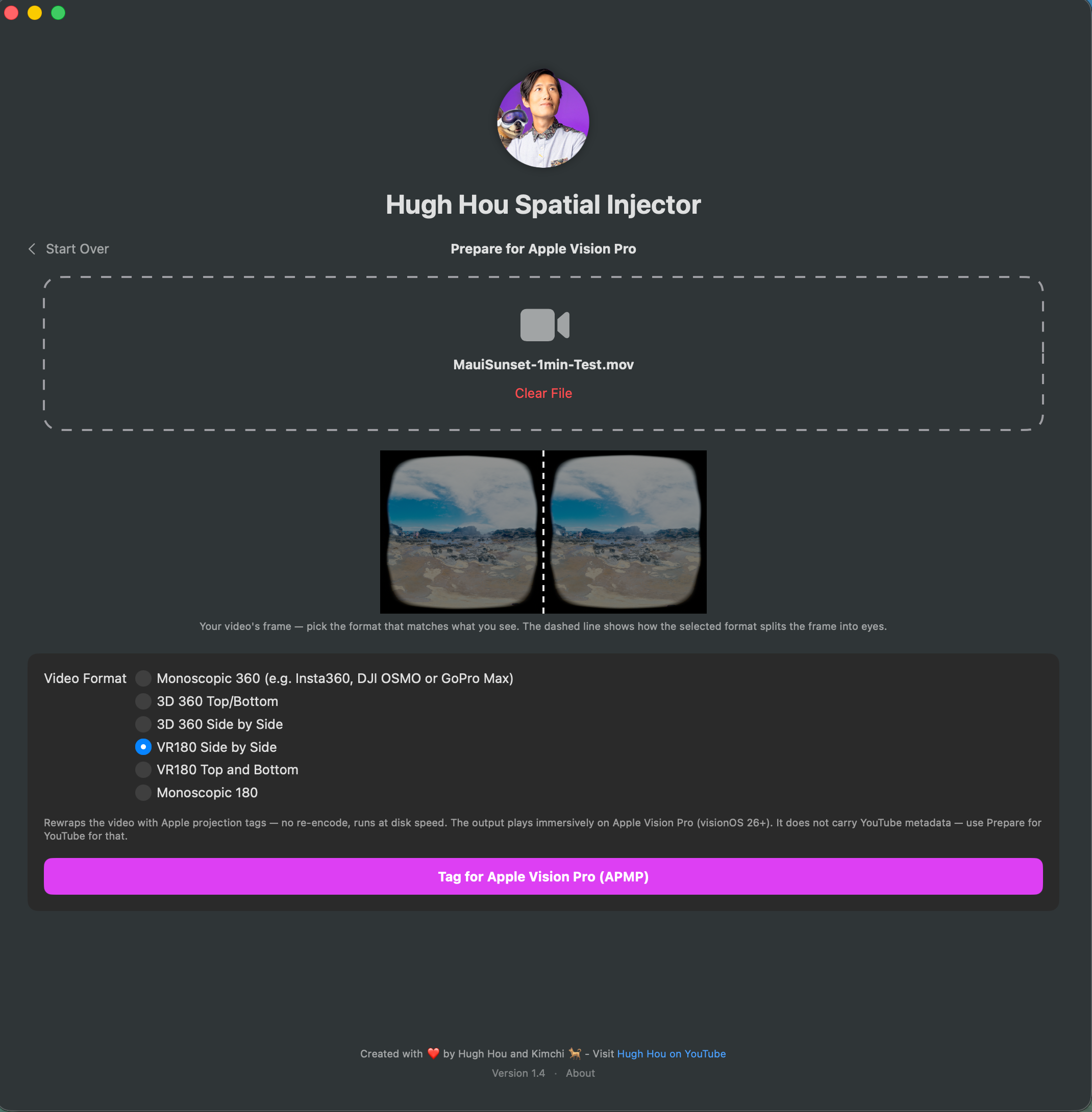
The app pulls a frame from your own video and draws a dashed guide over it, showing exactly where the selected format splits the frame into left and right eyes. Pick the layout that matches what you see. If the file already carries spatial metadata, it's detected and pre-selected.
If your export has 1st order Ambisonic audio (from a Zoom H3-VR, a Qoocam 3 Ultra, a GoPro Max 2, or an AmbiX export out of Resolve), check the box and the app writes what YouTube needs for head-tracked spatial audio. Turn your head, and the sound stays locked to the world.
Why it failed beforeYouTube quietly dropped its old 6-channel ambisonic option, and the old tools kept failing silently. The app now checks your audio track and tells you, in plain words, whether it's eligible.
A new file appears next to your original: same pixels, correct metadata, with a real progress bar while it writes. Upload it to YouTube, give the processing a few hours, and the immersive badge and spatial audio come with it.
Also fixed in v1.4: DaVinci Resolve messes up VR180 renders, and YouTube processes them as flat 360. We now fix it for you, free. Your Resolve renders finally process correctly on YouTube.
Prepare for Apple Vision Pro · APMP Metadata
The old way was a multi-hour re-encode that demanded next year's macOS. The new way is APMP metadata injection, and we pioneered it free on the Mac with Spatial Film AirStream. This is the same engine: it rewraps your file with Apple's official projection tags at disk speed. An 18 GB immersive 180 master tags in under two minutes, bit-identical.
It's metadata, not a re-encode. Your pixels never change.
The output plays natively on visionOS 26: in the Files app, AirDropped to a friend's headset, or in any Vision Pro player (it's happiest in Spatial Film, where it gets environments and docking). Supports immersive 180 and 360, mono or 3D, side-by-side or stacked.
Requirements
Download
The download lives on our public Patreon post: free for everyone, no membership needed, and the comments double as the support forum.
Spatial Film plays your immersive films on Apple Vision Pro with environments and docking. And AirStream, our other free Mac app, streams your whole library to the headset with nothing to copy across.
Questions
Yes. No account, no trial, no watermark. The download is hosted on a public Patreon post, and you don't need a membership or even a Patreon account to get it.
Yes. Google abandoned its Spatial Media Metadata Injector years ago, and it never supported ProRes masters, MOV containers, uncompressed PCM audio, or working ambisonic injection. This app does the same job as a modern native Mac app, and adds the Apple Vision Pro side on top.
APMP is the Apple Projected Media Profile, the signal that tells Apple Vision Pro (visionOS 26 and later) that a video is immersive 180 or 360 instead of flat. The injector writes APMP metadata into your file in one click, free, with zero re-encode. We pioneered free APMP tagging on the Mac with Spatial Film AirStream, and this is the same engine.
Never. Both workflows write metadata only. The app writes a new file next to your original. The video and audio inside are bit-identical to what your editor exported, and your original is never touched.
Not anymore. Version 1.4 removed that requirement completely. The Vision Pro workflow needs macOS 15, and the YouTube workflow runs on macOS 14. Playing the tagged file needs visionOS 26 on the headset (that part is Apple's requirement).
DaVinci Resolve messes up VR180 renders, and YouTube processes them as flat 360. Version 1.4 fixes it during injection, so Resolve renders finally process correctly on YouTube.
One audio track with 4 channels of 1st order AmbiX at 48 kHz. YouTube dropped its old 6-channel option, so this is the only path. The Zoom H3-VR, Qoocam 3 Ultra and GoPro Max 2 record it, and DaVinci Resolve exports it. The app checks your file and tells you if the audio isn't eligible, so no more silent failures.
Anywhere on visionOS 26 or later: the Files app, AirDrop it to a friend's headset, or any Vision Pro player app. It's happiest in Spatial Film, which adds environments and docking.
No, Apple silicon only (M1 or later), on macOS 14 or newer.
Every release lives in one place with its release notes, and the post's comments double as the support forum. The post is public and free for everyone, no membership needed.